Arduino Opta Cellular Connectivity
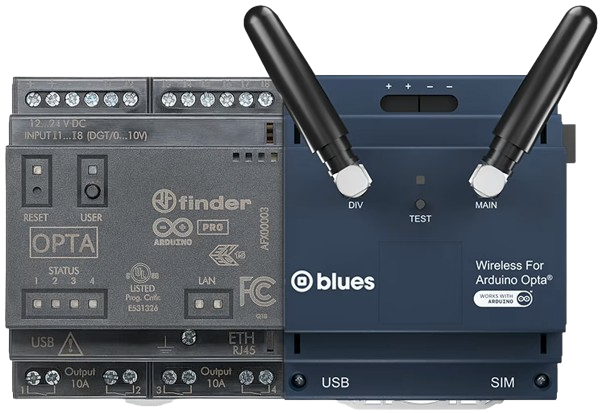
The Blues Wireless for Opta expansion module gives an Arduino Opta its own cellular connection. Use it where a machine is out of range of your shop floor network.
Connections
- The Blues module needs its own 24 V DC power supply.
- The Opta connects to the Blues module with a standard AUX connector. It is as easy as pushing two building blocks together. Make sure the two units are firmly pushed together. The Opta uses this connection to talk to the module's Notecard over I2C.
Configure the Opta
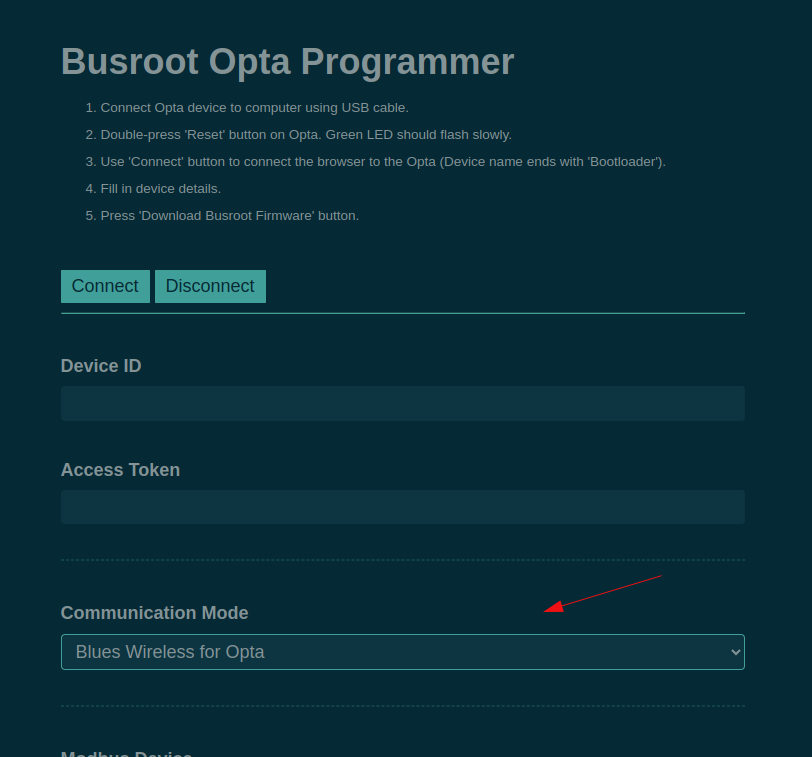
The Opta must be set to send its data through the Blues module. When you flash the Opta, choose Blues Wireless for Opta in Communication Mode. See Arduino Opta configuration.
External antenna
Use a multi-band antenna with a male SMA connector, and connect it to the MAIN connector. For example: https://uk.rs-online.com/web/p/multi-band-antennas/1248876
Troubleshooting
- Hold down the TEST button on the Blues module for 10 seconds to reset it.
- Wait 10 seconds.
- Press the Reset button on the Opta.