Week 34 | 2026
This release adds a new quick scheduling tool to Gantt, task management improvements, and several quality-of-life fixes across the Cockpit, Tablet, and analysis pages.
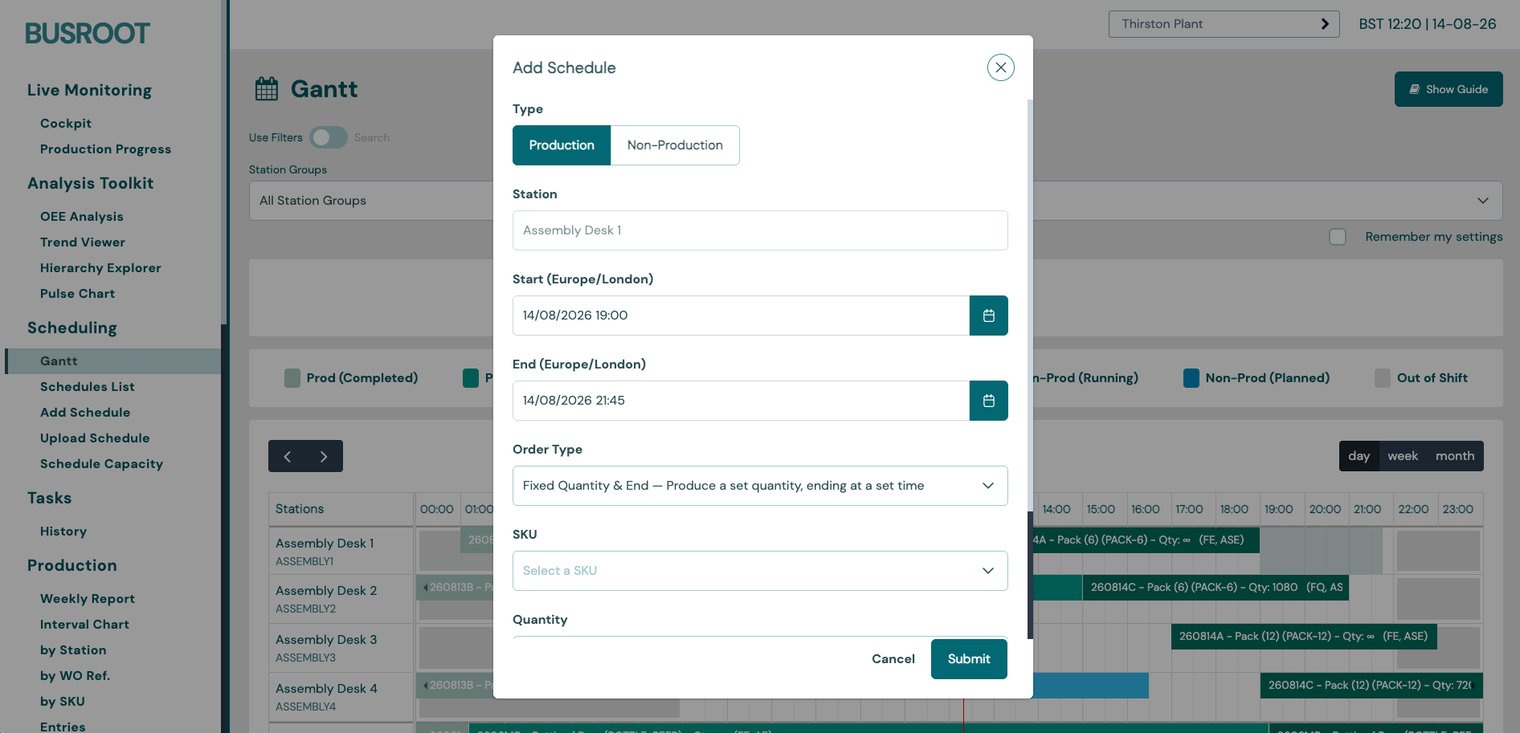
Featured Improvement: Create and Delete Schedules Directly on the Gantt Chart
- Left-click and drag across empty space on a station row to create a schedule; right-click any schedule to delete it. A new sidebar guide explains all interactions.
- Supports production and non-production schedule types.
- Available in day, week and month views.
- The chart now expands to show all stations without internal scrolling.
New Features
- Task Lists — group tasks into named Task Lists; manage from a new admin page under Tasks; see list membership on the tablet and in Task History.
- Task Completion Notes — tasks can require a note on completion (e.g. readings/measurements). Notes appear in Task History and CSV exports.
- Tablet Station List — device association screen uses Plant → Station Group → Station drill-down; plant selection remembered; single-option levels skipped automatically.
- Always Connected Setting — new feature flag forces a station to always show as connected, independent of the Manual Production setting.
Improvements
- Downtime Reason Notes — Inheritance — "Require Notes" cascades down the reason tree, with override at any level.
- Confirm Before Ending Empty Schedules — tablet asks for confirmation before ending a schedule with zero production.
- Pulse Chart Breadcrumbs — tooltips show full reason ancestry (e.g. "Mechanical › Conveyor › Belt Jam").
- Trend Viewer Totals — rate-based metrics are averaged in totals instead of summed.
- Cycle Time Analysis Performance — significant speed improvement for large datasets.
- Manual Downtime Feedback — station header immediately reflects the stopped state when manual downtime starts.
Bug Fixes
- Tablet Back Button — fixed navigating to the wrong level on the station list.
- Week Range Alignment — weekly ranges respect the plant's week start day and production day start hour.
- Cycle Time SKU Filtering — SKUs with no measurable cycle time are hidden instead of showing as zero.
- Station Notes Character Limit — clear error shown when the limit is exceeded.