Shelly Pro EM
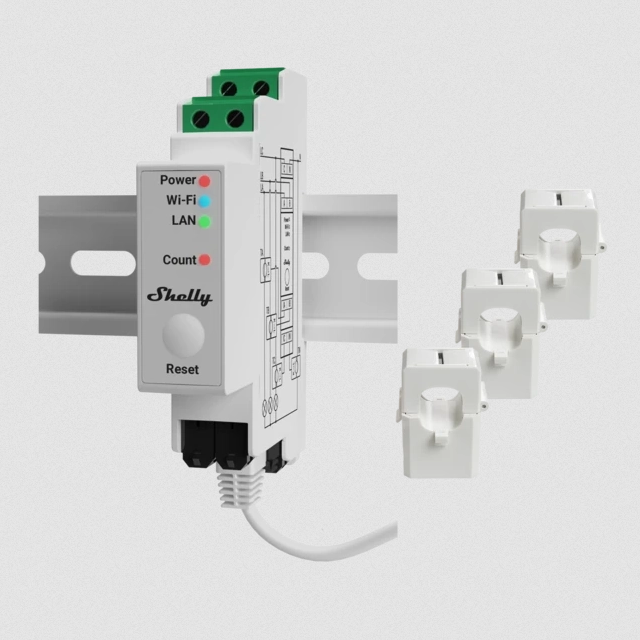
The Shelly Pro EM is an energy meter that connects to your Wi-Fi and sends its readings over MQTT. It does not need an Arduino Opta. It is available with 50 A and 120 A clamps (current transformers).
Installation
Warning
Make sure the arrow on every clamp points in the direction of the energy flow you want to measure.
Install the meter according to the Shelly Pro EM user guide (PDF).
Configuration
Before you start, register a device in Busroot to get a device ID and access token. See Devices.
- The meter starts in access point mode (the Wi-Fi light is blue). Connect your laptop or phone to the meter's Wi-Fi network.
- In a browser, open
http://192.168.33.1. -
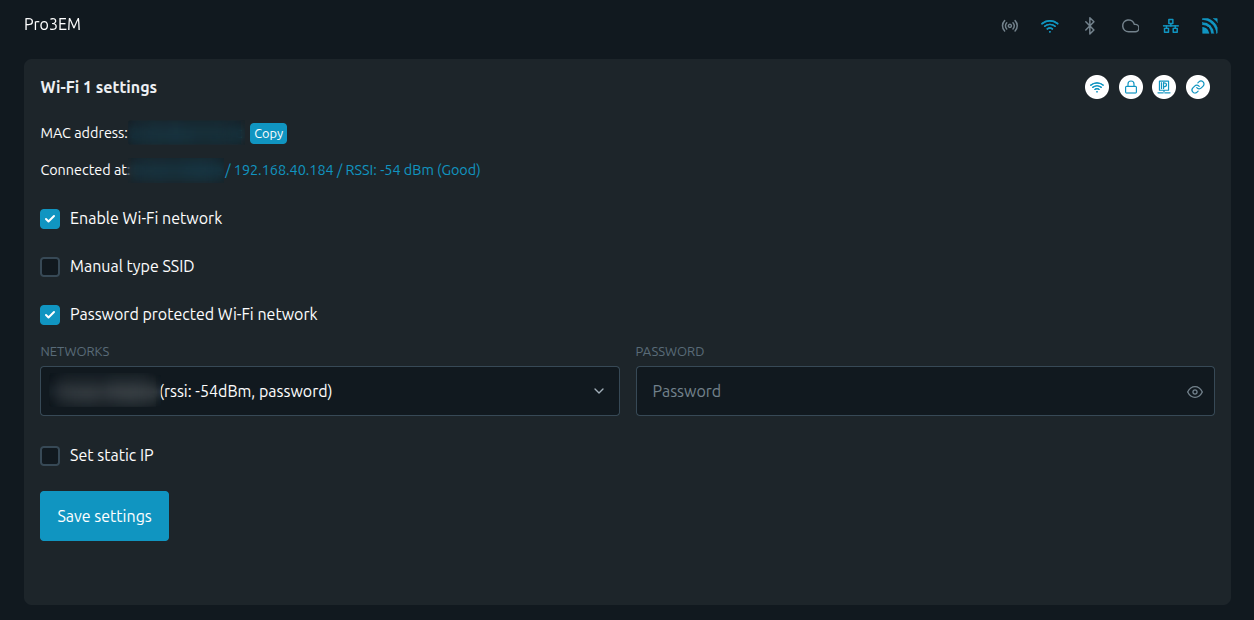
Set up the Wi-Fi to connect to your network, and disable access point mode.
-
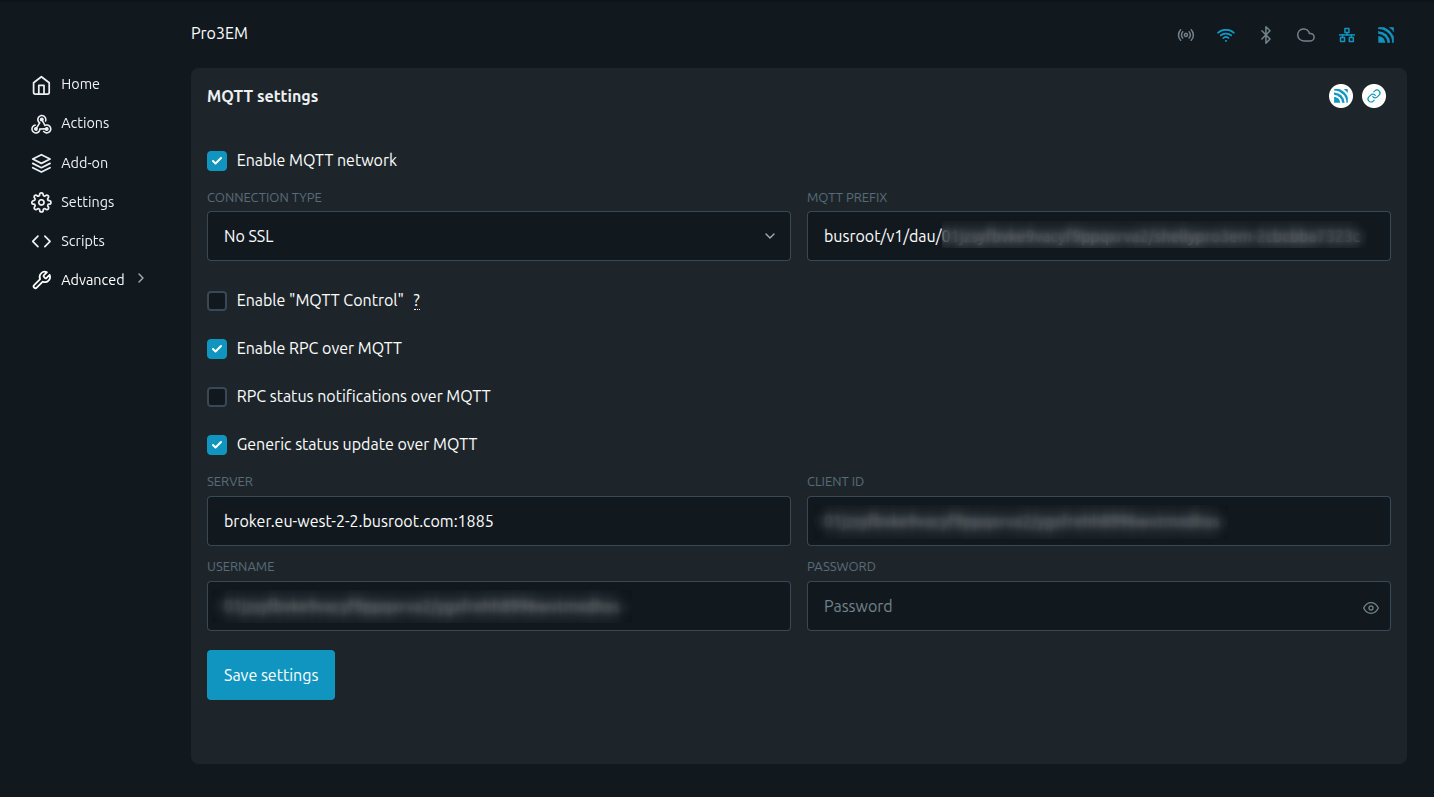
Set up MQTT to send data to Busroot, with Generic status update turned on. Use the device ID and access token as the credentials, as described in MQTT access.
- Restart the meter.
-
The Wi-Fi light turns green.