Notification Preferences
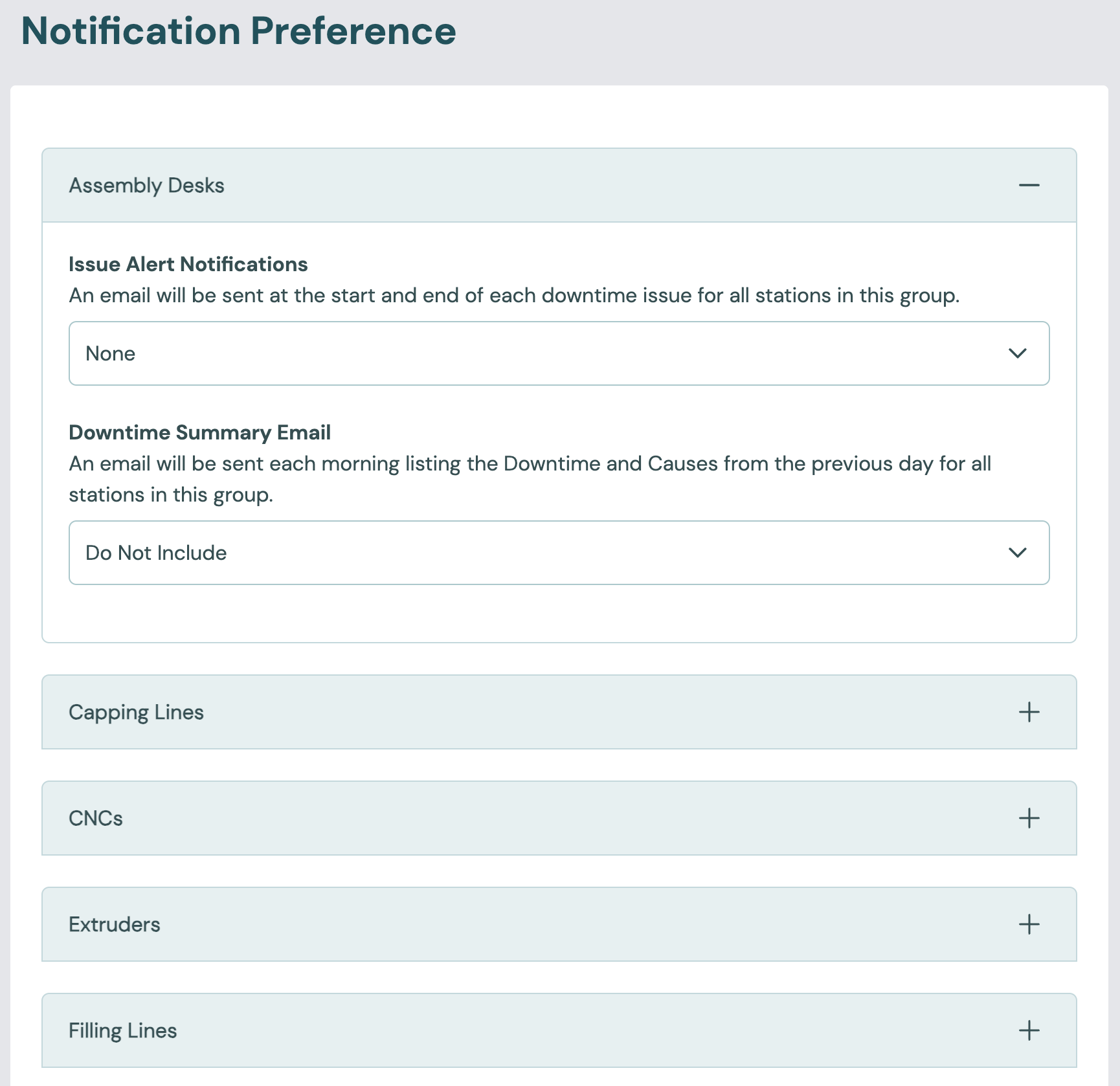
Notification preferences choose which emails you get about stops. Go to Admin > Notification Preference.
Each user sets their own preferences. You can't set them for anyone else, and your changes only apply to you.
For when the emails are sent and what they contain, see Alerts & daily summary.
Settings
The page has one section for each station group. In each section, choose:
| Setting | Values | Default | Effect |
|---|---|---|---|
| Issue Alert Notifications | All Issues, None | None | With All Issues, you get an email at the start and at the end of each stop at any station in the group. |
| Downtime Summary Email | Include, Do Not Include | Do Not Include | With Include, you get an email each morning that lists the previous day's downtime and causes for the group's stations. |
Before you start
Stop emails depend on how each station detects downtime. The station's Downtime Detection Mode must be set to something other than Off. See Station › Downtime.
For stations with Utilisation Monitoring, the Utilisation Downtime Threshold (mins) sets how long a stop must last before it is recorded and emailed. See Downtime.
Escalations that operators send from the Operator Interface need no change to the station settings.